



Your subscription allows you to add up to 5 accounts, so the whole family can read within your family subscription. The steps to do that are simple, and we'll explain how to do it here through the app or website below.
Adding from Website
If you've purchased your subscription from the website, you can add the accounts from the website or app, but not vise-versa.
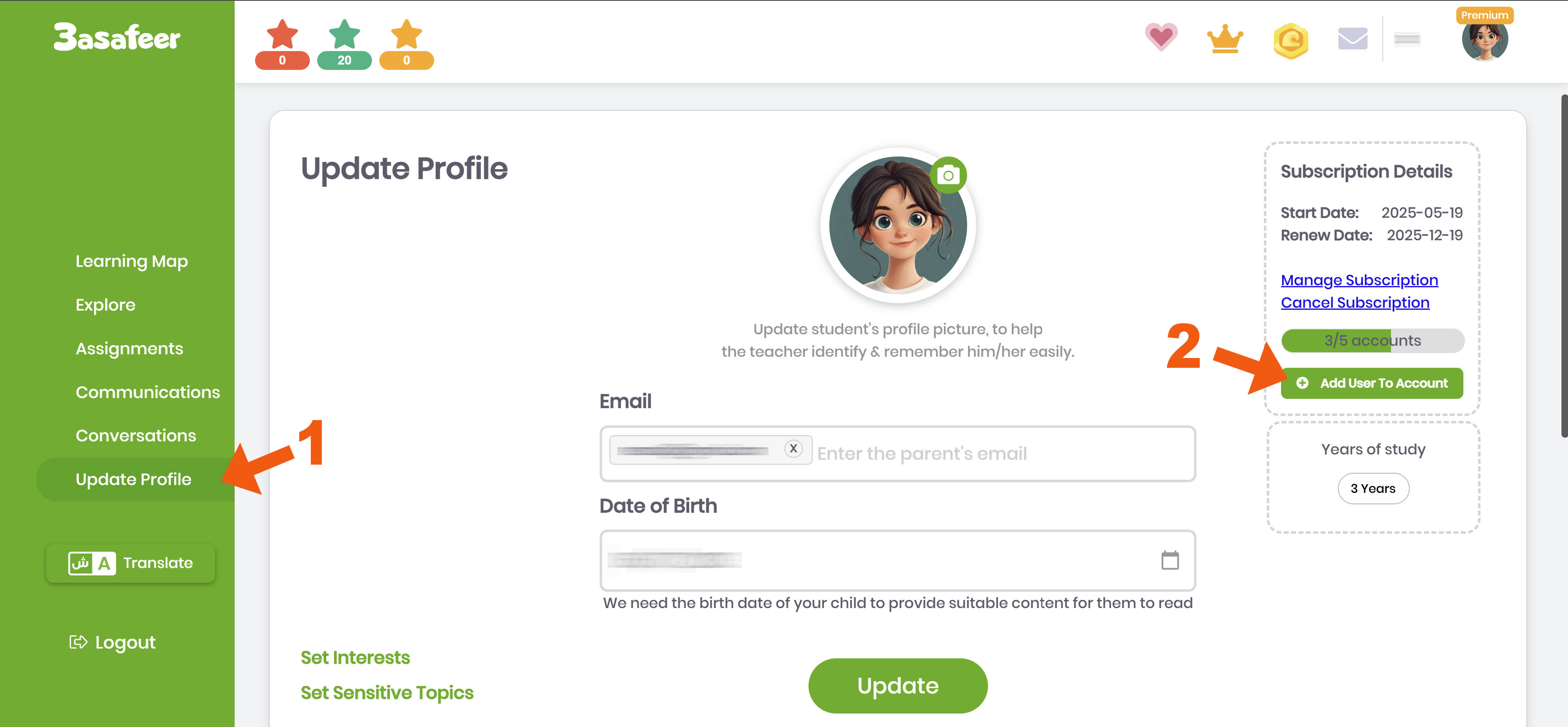
| Click "Update Profile" page, then "Add user to account" button | Fill in learner's name and date of birth |
 |
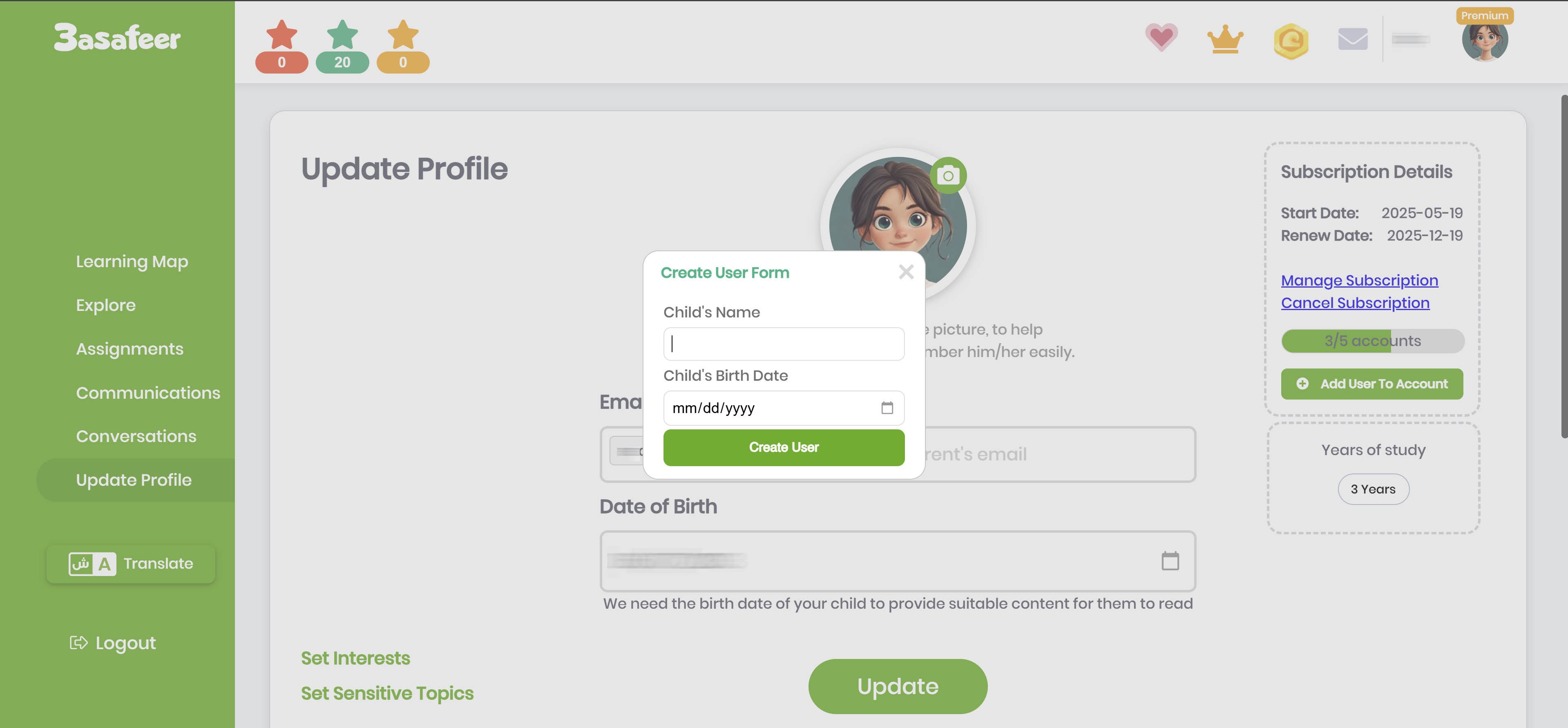 |
(It's crucial to fill in the correct date of birth as it's a major factor in selecting the content that will be shown to the learner)
You can repeat this process to add up to 5 accounts to your subscription, if you want to view the login details to any of those accounts you can follow the instructions in the "Know your accounts login credentials" page.
Adding from App
If you'vepurchased your subscription from the the app, you can only add the accounts from your App. You can add the accounts from the fast login page or from the main page:
Fast Login Page
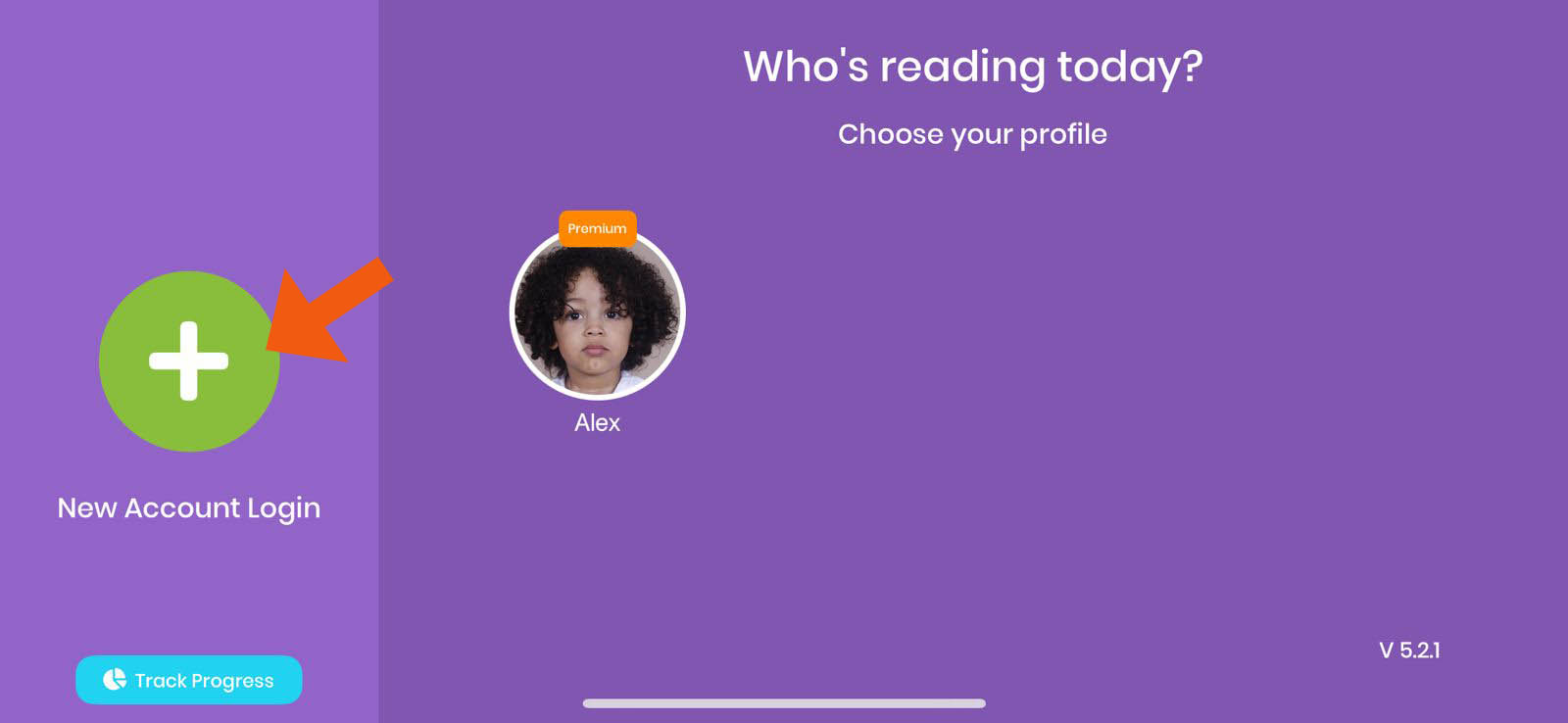
| From the fast login page click the green button with the + sign |
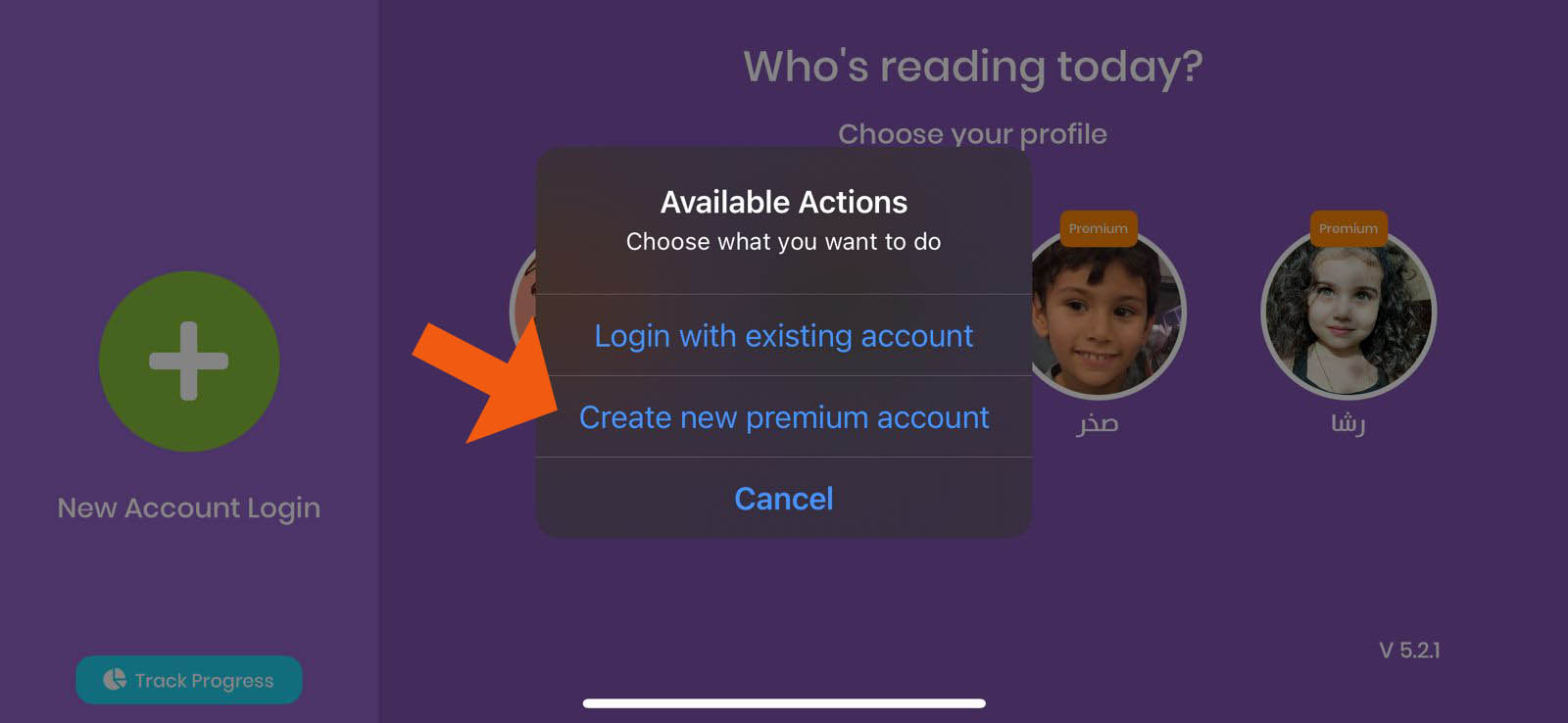
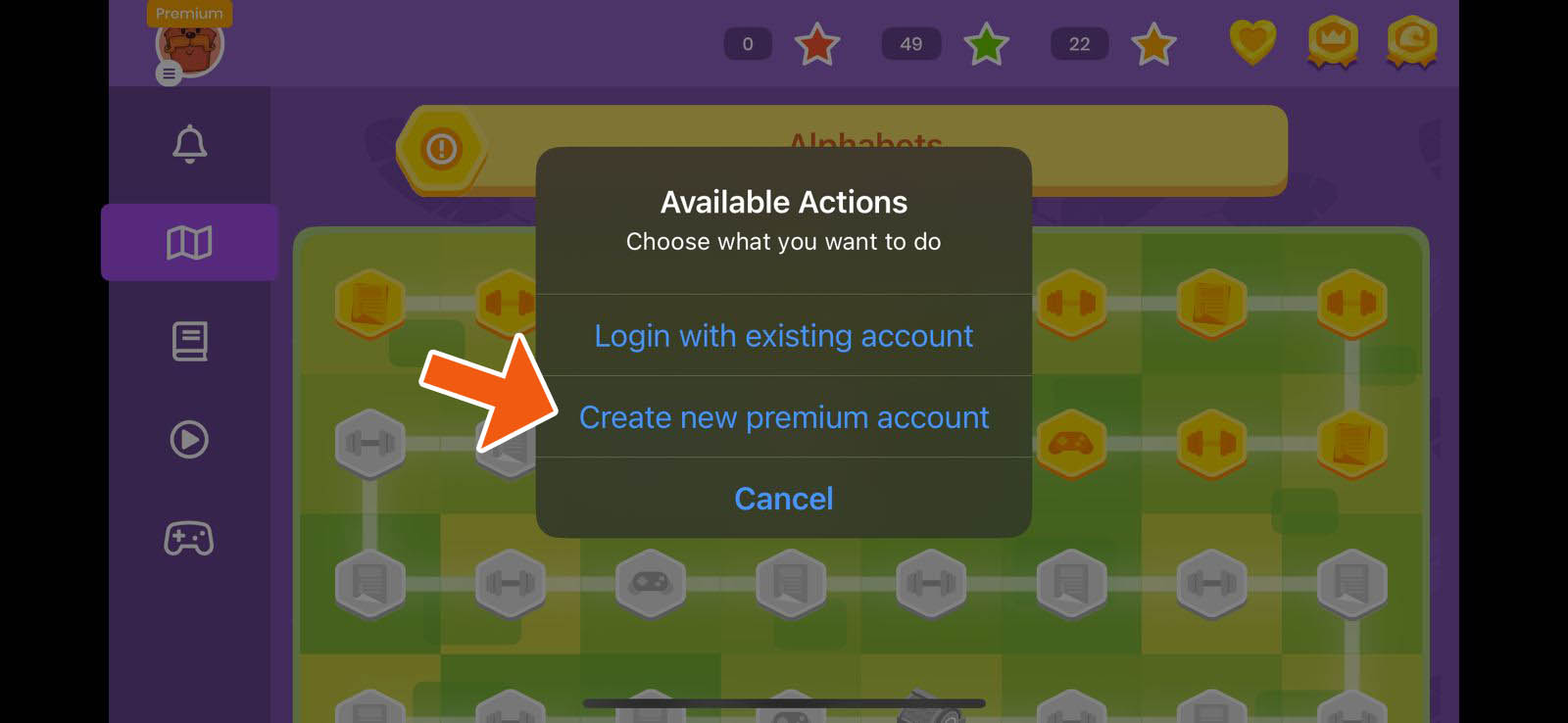
Then choose "Create new premium account" |
 |
 |
Main Page
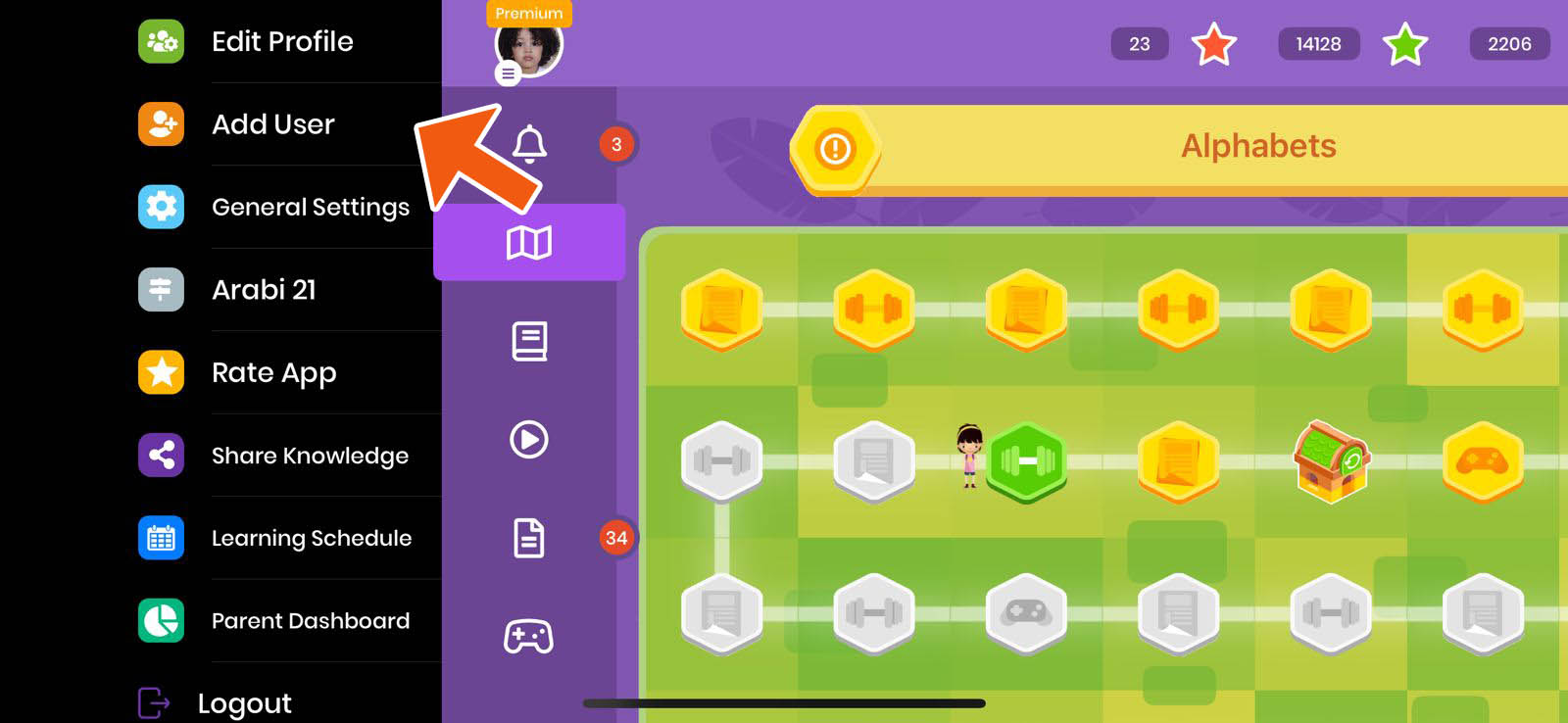
If you're logged in into your account, you can add additional accounts by following the steps below:
| 1 - Click user picture | 2 - Choose "Add user" | 3 - Choose "Create new premium account" |
 |
 |
 |
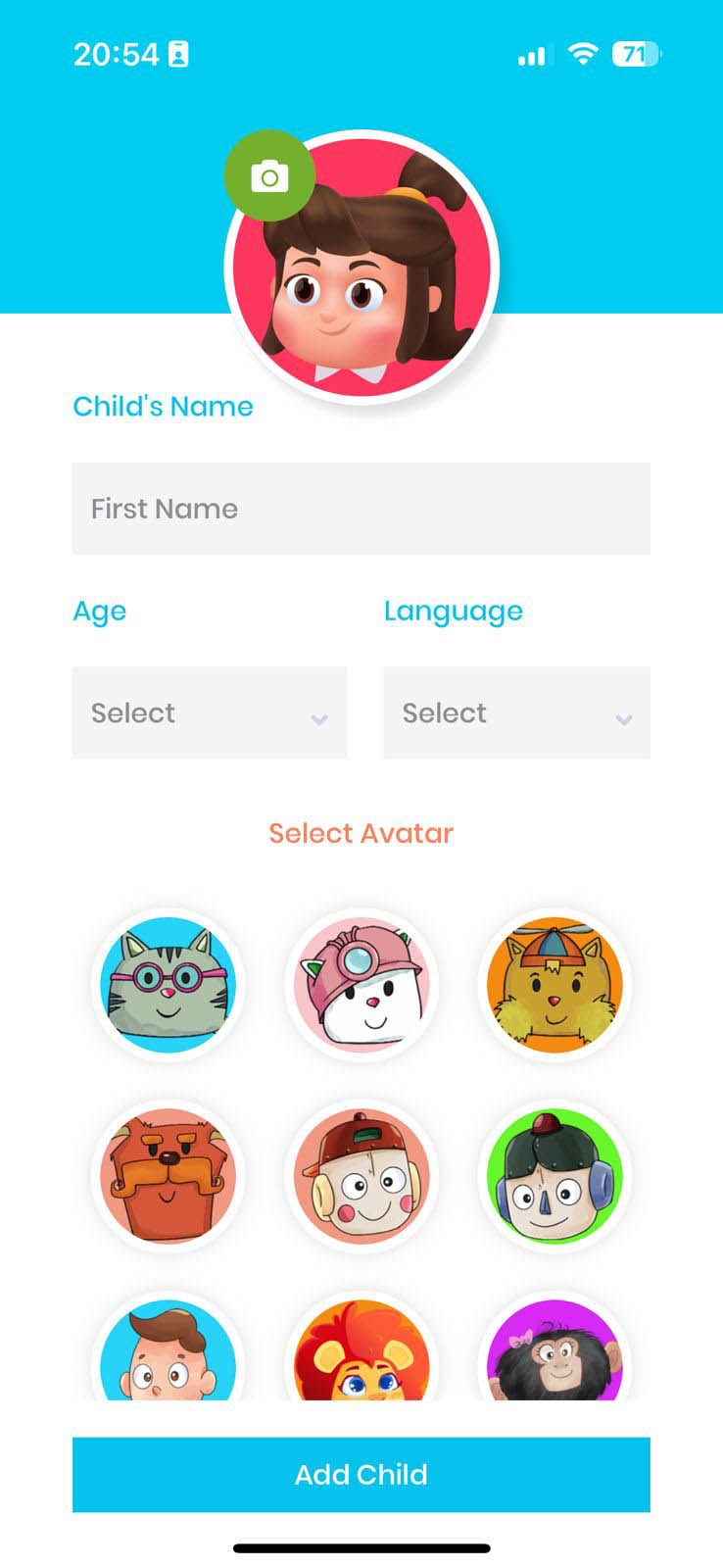
Creating the account
You can then create the account, make sure to fill in the right age for the learner, as it's a major factor in selecting the content they will see
We wish you an enjoyable learning & reading experience, and if you need any help you can contact us vis email on info@3asafeer.com or via WhatsApp on 00971502810151

